


You already use Google to search for things. But most people do not know that Google has a whole separate shopping section built right in and it is one of the most powerful free tools available for finding the lowest price on anything you want to buy.
Google Shopping lets you compare prices from hundreds of retailers in one place, see price history on products, filter by price range or seller rating, and even track when a price drops. All without visiting a single store website. All completely free.
This guide explains exactly how Google Shopping works in 2026, how to use it properly to compare prices, and the tips and filters that most shoppers never discover but which consistently lead to better deals in less time.
Table of Contents
What Is Google Shopping?
Google Shopping is a feature inside Google Search that shows you products from many different online stores at the same time with prices, seller ratings, and delivery information all in one view.
You do not need to sign up for anything. You do not need to install an app. Google Shopping is free and built directly into Google. You access it by:
1. Searching for any product on Google for example ‘wireless headphones’ or ‘Nike Air Max 90’
2. Looking at the top of the search results where product images and prices appear in a row that is Google Shopping
3. Clicking ‘Shopping’ in the top menu bar to see the full Shopping view with all filters and tools
In the full Shopping view, you can see every retailer selling that product, with their current price, seller rating, delivery cost, and whether the item is in stock. Instead of visiting five different websites to compare prices, Google Shopping does all of that in one place.
Simple version: Google Shopping is like a price comparison website that is already built into Google. You search once and see prices from dozens of stores at the same time. No sign-up needed. Completely free.
How to Use Google Shopping
Open Google and search for exactly what you want
Type the product name as specifically as you can. Instead of searching ‘headphones’, search ‘Sony WH-1000XM5 wireless headphones’. The more specific your search, the more accurate the price comparisons will be.
Click Shopping in the search results
At the top of the results page, you will see a row of product images and prices. This is Google Shopping. Click on any product image to see more details, or click ‘Shopping’ in the top menu to open the full Shopping view.
Apply filters to narrow down your results
On the left side of the Shopping page, you will see filters. Filter by price range, seller rating (4 stars and above), condition (new or refurbished), brand, and whether free delivery is offered. These filters cut out results that do not match what you want.
Sort results by price – lowest first
Click the ‘Sort by’ menu at the top and choose ‘Price: Low to High’. This puts the lowest price for that exact product at the top. Make sure you are comparing the same product from different sellers, not slightly different models.
Check the price history graph
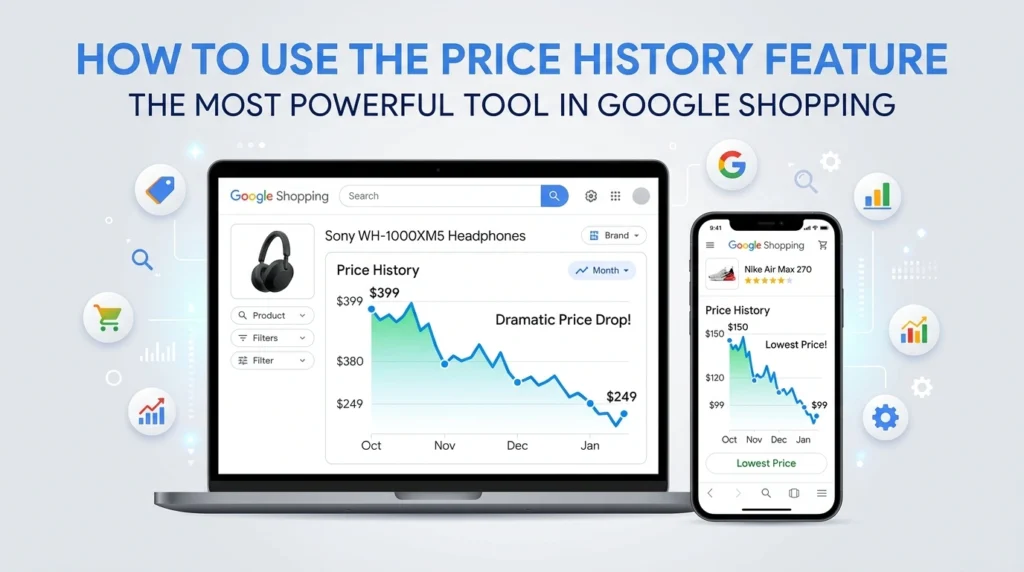
Click on a specific product to open its detail page. You will often see a price history graph showing how the price has changed over the past few weeks or months. This tells you whether the current price is genuinely low or whether the product was cheaper recently.
Set a price alert
On the product detail page, look for a ‘Track price’ button. Turn it on. Google will email you when the price drops below its current level. This is completely free and works on products across all the retailers Google Shopping tracks.
The Most Useful Google Shopping Filters Explained
Most shoppers use Google Shopping without touching the filters. This is a mistake. The filters are what make Google Shopping genuinely powerful. Here is what each one does:
| Filter | What it does | When to use it |
| Price range | Shows only results within your budget | When you have a clear maximum spend in mind |
| Seller rating | Filters out sellers with low customer ratings | Before buying from an unfamiliar retailer |
| Condition: New | Shows only brand new products | Standard purchases where condition matters |
| Condition: Refurbished | Shows certified refurbished at lower prices | When saving money matters more than new packaging |
| Free delivery | Removes results where delivery is charged | On smaller orders where shipping is a large proportion of cost |
| Sort by price low-high | Puts the cheapest results at the top | First thing to set after any product search |
| Store filter | Shows results from a specific retailer only | When you have a code or loyalty points for one store |
Best combination: Sort by price (low to high) + free delivery filter + seller rating 4 stars and above. Three clicks, better results. This is the fastest route to a genuine deal in Google Shopping.
How to Use the Price History Feature: The Most Powerful Tool in Google Shopping
This is the single most useful feature in Google Shopping, and most shoppers have never used it. The price history graph shows you exactly how a product’s price has changed over time. It answers the most important question before any purchase: is this a good price right now? It can also help you How to Spot Fake Deals by showing whether a discount is genuine or based on an inflated previous price.
How to find the price history graph
Search for a product in Google Shopping. Click on a specific listing to open the product detail page. Scroll down below the main price information. You will see a section called “Price history” with a graph showing how the price has moved over the past 90 days or more. The graph shows the highest price, the lowest price, and where the current price sits in that range.
How to read the graph
- Current price near the bottom of the graph — genuinely good price. Good time to buy.
- Current price near the top of the graph — the item has been cheaper recently. Set an alert and wait.
- Brief spike upwards then back down — the “original price” is probably artificial. The lower number is the real usual price.
Real example: A laptop showing ‘Was $899 Now $699’ sounds like $200 off. But the price history shows the laptop has been $699 for four months, with the $899 price only appearing for two days. The saving is not real. The price history graph makes this visible in seconds.
How to Set Up a Price Alert on Google Shopping
Setting up a price alert takes about 30 seconds and means you never have to check a price manually again. Google monitors it and sends you an email when the price drops.
4. Search for your product in Google Shopping.
5. Click on the product to open its detail page.
6. Find the ‘Track price’ toggle or button. It is usually near the price information on the product page. Click it to turn tracking on.
7. Sign in to your Google account if asked. Google needs your account to send you the alert email.
8. Wait for the email. When the price drops, Google sends you an email with the new price and a link to buy. You can turn off the alert at any time.
You can track as many products as you like. There is no limit and no cost. This is one of the most underused free tools available to any online shopper in 2026.
Tip: Set price alerts on products before major sale events like Black Friday or Prime Day. When the sale begins and prices drop, you will get an alert immediately, often before the deal sells out. This gives you a head start over shoppers who only hear about deals after they are already live.
How to Compare Prices Properly on Google Shopping
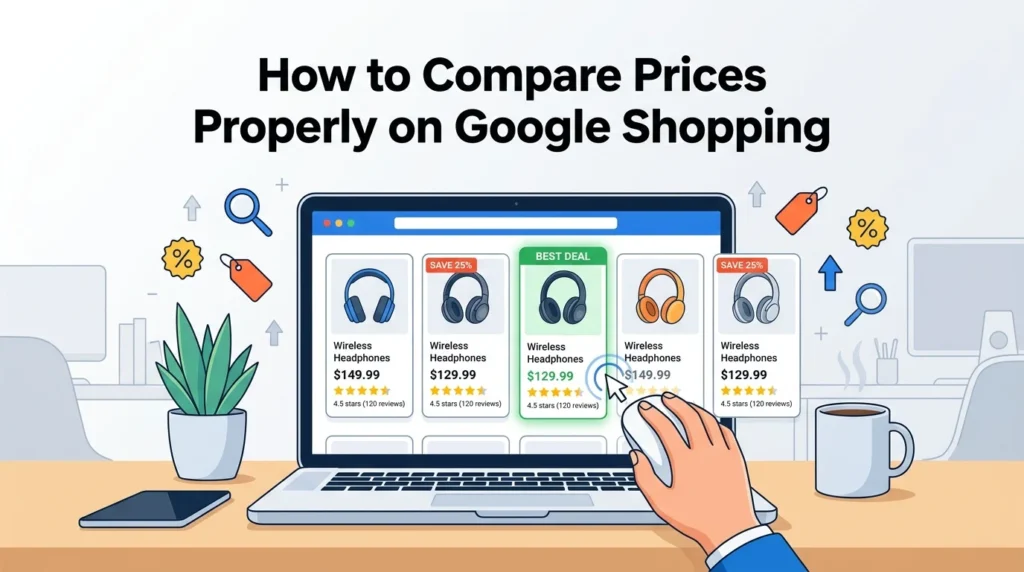
Price comparisons only make sense when you are comparing the same product. Here is how to compare properly:
Check the model number, not just the product name
A search for ‘Sony headphones’ returns hundreds of different models at very different prices. Always search for the exact model number to make sure every result in Google Shopping is the same product. Comparing prices on different models gives you a meaningless result.
Include the delivery cost in your comparison
A product at $45 with free delivery is cheaper than one at $42 with $6.99 shipping. Google Shopping shows delivery information on most listings always factor it in before deciding which retailer offers the best total price. The free delivery filter removes the need to calculate this manually.
Check the seller rating before buying from an unfamiliar store
Google Shopping sometimes surfaces retailers you have never heard of. A very low price from an unknown seller with a 2-star rating is not a good deal app it is a risk. Always filter for sellers with at least 4 stars, or stick to retailers you recognise.
Verify the price on the retailer’s own website
Occasionally the price shown in Google Shopping does not match the retailer’s website because Google’s data has not updated yet. Before completing a purchase, always click through to the actual product page to confirm the price. This takes five seconds and prevents a surprise at checkout.
How to Combine Google Shopping With Coupon Codes and Cashback
Google Shopping finds the lowest price across retailers. But the lowest listed price is not always the final price you have to pay. Two additional tools can reduce it further:
Add a coupon code on top of the Google Shopping price
Once Google Shopping shows you which retailer has the best price, check TheDiscountEmpire for a coupon code for that specific store. A verified discount code applied at checkout can reduce the price by another 10% to 20% on top of what Google Shopping already found. This combination Google Shopping to find the lowest price, TheDiscountEmpire to reduce it further is one of the most reliable saving strategies available in 2026.
Activate cashback before you buy
After Google Shopping identifies the best-priced retailer, check whether that store is listed on Rakuten or TopCashback before you click through to buy. Our best cashback apps 2026 guide explains exactly how cashback platforms work and which ones cover which retailers.
Pay with a rewards card to add the final layer
A rewards credit card adds 1% to 3% back on the transaction on top of the Google Shopping price, the coupon code saving, and the cashback. It requires no extra steps and compounds across all your purchases throughout the year.
Combined example: Google Shopping finds the same $120 pair of trainers for $89 at a retailer you had not considered. A 15% coupon code from TheDiscountEmpire brings it to $75.65. 5% cashback = $3.78 back. Rewards card 2% = $1.51 back. Total out of pocket: $70.36. Total saved from $120: $49.64, which is 41% off from Google Shopping plus three stacked saving layers.
Google Shopping vs Other Price Comparison Tools
Google Shopping is not the only price comparison tool. Here is how it compares to the main alternatives:
| Feature | Google Shopping | CamelCamelCamel | PriceRunner (UK) | PriceSpy |
| Price comparison | All retailers | Amazon only | UK retailers | UK/EU retailers |
| Price history | Yes | Yes — detailed | Yes | Yes |
| Price alerts | Yes — free | Yes — free | Yes | Yes |
| Product coverage | All categories | Amazon only | Electronics, home | Electronics, home |
| Works in US | Yes | Yes | No | Limited |
| Works in UK | Yes | No | Yes | Yes |
| Free to use | Yes | Yes | Yes | Yes |
Google Shopping wins on breadth it covers the most retailers and works everywhere. For most shoppers, using Google Shopping as the primary tool and CamelCamelCamel specifically for Amazon purchases is the best combination.
Simple Google Shopping Checklist for Every Purchase
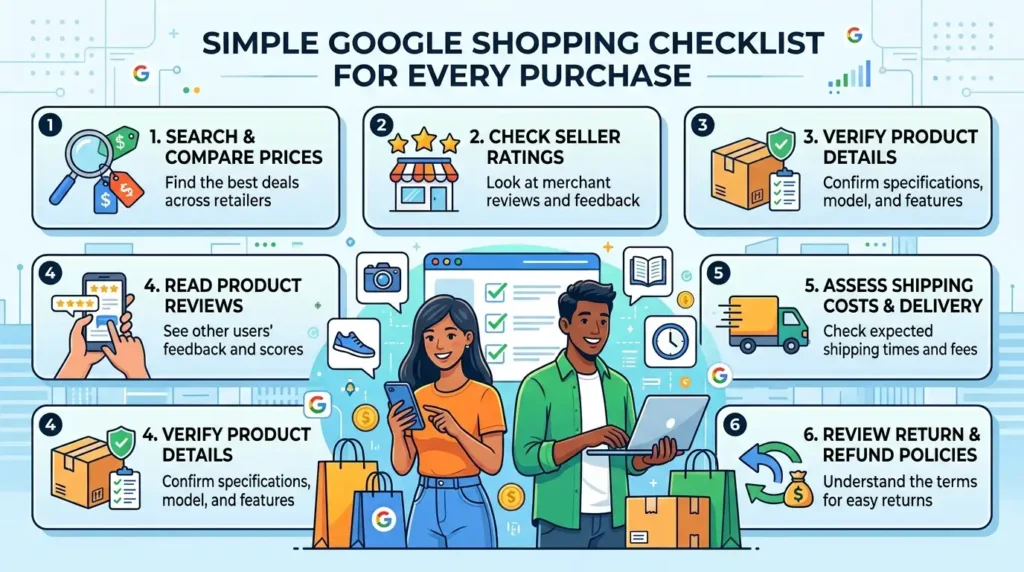
Use this before buying anything online. It takes about three minutes and consistently finds a better price or confirms you already have one:
Search the exact product model name in Google Shopping
Be specific include the model number.
Apply filters: sort by price, free delivery, seller rating 4+ stars
Three clicks, better results immediately.
Check the price history graph
Is this a genuinely low price or has it been cheaper recently?
Set a price alert if the current price is above the recent average
Google will notify you when it drops.
Confirm the price on the retailer’s website before checkout
Make sure nothing has changed since Google indexed it.
Check TheDiscountEmpire for a coupon code for that retailer
Reduce the price further at checkout.
Activate cashback before clicking through to buy
Earn money back on whatever you pay.
Here are the five most important questions about Google Shopping covering unique angles not addressed in the guide above.
FAQs
Does Google Shopping include every online retailer or just the big ones?
Google Shopping includes results from most major retailers but not every store. Retailers pay to list products as paid adverts, and some also appear through free listings. Smaller or niche stores may not appear even if they have a competitive price. This is why using Google Shopping as a starting point and then checking TheDiscountEmpire for codes from any specific store is a smart combination Google finds the known competitors. At the same time, a dedicated coupon site covers additional stores.
Can I use the Google Shopping price history to negotiate a better price in a physical store?
Yes this is an underused tactic. If you have found a product significantly cheaper at an online retailer through Google Shopping, take a screenshot of the price and show it to a physical store selling the same item. Many high street retailers have price match policies and will meet or beat a confirmed online price. The Google Shopping price history graph also helps confirm the online price is a consistent lower price rather than a temporary flash deal, which makes your case for a price match much stronger.
How accurate is the price information shown in Google Shopping?
Google Shopping prices are generally accurate but can lag behind real-time changes by a few hours. Retailers update prices constantly and Google does not always index those changes immediately. This is why we recommend always clicking through to the retailer’s product page to verify the current price before adding to cart. Treat Google Shopping prices as a strong and reliable guide rather than a guaranteed final figure the retailer’s actual checkout page is always the definitive source.
Does Google Shopping show prices including VAT and delivery in the UK?
In the UK, Google Shopping shows prices including VAT as required by UK consumer law. Delivery costs are shown separately on most listings either as a specific charge or as ‘Free delivery’. However, delivery charge accuracy depends on the retailer keeping their product feed up to date, and charges can vary based on your postcode or order value. Always check the final total on the retailer’s checkout page to confirm both the price and delivery charge match what Google Shopping indicated before completing your purchase.
Can I set Google Shopping price alerts on multiple products at the same time?
Yes you can track as many products as you want simultaneously in Google Shopping. There is no limit on the number of price alerts you can have active at once. Each alert is tied to your Google account and you manage them all in the same place. You can turn off individual alerts at any time by revisiting the product page and toggling the tracking off. The alerts arrive by email and are completely free Google does not charge for this feature regardless of how many products you are tracking.
Final Thoughts Google Shopping Is the Fastest Free Price Checker Available
Most shoppers open five browser tabs to compare prices. Google Shopping does the same thing in one search faster, with more retailers, and with price history on top. It is the most useful free tool an online shopper can use in 2026, and most people are only scratching the surface of what it offers.
The key habits to build: always search for the exact product model, always check the price history before buying, and always set a price alert when the current price is above the product’s recent average. Those three steps, taking about two minutes total, consistently lead to better buying decisions.
Once Google Shopping has found you the best-priced retailer, check TheDiscountEmpire for a coupon code to reduce that price further at checkout. The combination of a good price found through Google Shopping and a verified coupon code on top is one of the most reliable ways to save money online in 2026.
Pingback:BOGO Deals Online - The Ultimate Guide to Buy One Get One Offers - TheDiscountEmpire.com
Pingback:Best Deal Websites in the UK and US for 2026 - TheDiscountEmpire.com